





![Acer Chromebook Spin 511 R757TN – Chromebook for Students [Brand New] - AE Laptop image 1](https://aelaptop.com/public/uploads/all/5CCS7QFwFKIoi33Fys39lj8oBrPATtJeo17TcOTC.webp)
![Acer Chromebook Spin 511 R757TN – Chromebook for Students [Brand New] - AE Laptop image 2](https://aelaptop.com/public/uploads/all/wjnmnaNt3D98ItaZa118uYtV2fwRJm10bhKVEbCg.webp)
![Acer Chromebook Spin 511 R757TN – Chromebook for Students [Brand New] - AE Laptop image 3](https://aelaptop.com/public/uploads/all/vIpelHCDw5hSthAhPuk95oR22wxKDnbih5aDm5RE.webp)
![Acer Chromebook Spin 511 R757TN – Chromebook for Students [Brand New] - AE Laptop image 4](https://aelaptop.com/public/uploads/all/XDiI5PU8oIUjQrEvVCc0Cnyofcp0QAScGIz20Wj1.webp)
![Acer Chromebook Spin 511 R757TN – Chromebook for Students [Brand New] - AE Laptop image 5](https://aelaptop.com/public/uploads/all/hxC1jkKarwbnJhlktWb2Ss3RMS0lJLpqbB4g1V8K.webp)
Acer Chromebook Spin 511 R757TN – Chromebook for Students Brand New
Acer Chromebook Spin 511 R757TN – Chromebook for Students
The Acer Chromebook Spin 511 R757TN is a compact, durable and versatile Chromebook for students, designed for classroom learning, homework, online lessons and everyday educational activities. Powered by the Intel Processor N250, 4GB LPDDR5X memory and 32GB eMMC storage, it provides the essential performance students need for Google Classroom, Google Docs, web research, video lessons and ChromeOS applications.
Its 11.6-inch Full HD touchscreen and flexible convertible design allow students to use it as a traditional laptop, tablet or presentation device. This makes the Acer Chromebook Spin 511 an excellent school recommended Chromebook for children who need a practical device that is easy to carry and simple to operate.
For parents searching for a reliable student laptop UAE schools can support, this model combines portability, modern connectivity, touchscreen control and a student-friendly ChromeOS experience.
Quick Product Summary
The Acer Chromebook Spin 511 R757TN is an 11.6-inch touchscreen Chromebook featuring an Intel N250 processor, 4GB LPDDR5X RAM, 32GB eMMC storage and ChromeOS. Its convertible form makes it suitable for typing, reading, drawing, presentations and online classes.
This model is particularly suitable for:
- School students
- Google Classroom activities
- Online classes and video calls
- Homework and assignments
- Web browsing and educational research
- Google Docs, Sheets and Slides
- Reading digital textbooks
- Classroom presentations
- Touch-based learning activities
- Everyday family use
Key Specifications
| Feature | Specification |
|---|---|
| Brand | Acer |
| Product series | Acer Chromebook Spin 511 |
| Model | R757TN (TCO configuration) |
| Operating system | ChromeOS |
| Processor | Intel Processor N250 |
| Memory | 4GB onboard LPDDR5X RAM |
| Storage | 32GB eMMC |
| Display size | 11.6 inches |
| Display resolution | Full HD 1920 × 1080 |
| Display type | LED-backlit TFT LCD |
| Touchscreen | 10-point multi-touch |
| Aspect ratio | 16:9 |
| Graphics | Intel Graphics |
| Wireless connectivity | Wi-Fi 6E / supported configuration |
| Bluetooth | Bluetooth 5.3 or above |
| Speakers | Two built-in stereo speakers |
| Microphones | Two built-in microphones |
| Battery | 53Wh, three-cell lithium-ion |
| Claimed battery life | Up to 10 hours, depending on usage |
| Charging | 65W USB-C Power Delivery adapter |
| Dimensions | Approximately 294 × 211 × 19.5/20.7mm |
| Weight | Approximately 1.4kg |
| Colour | May vary according to available SKU |
Designed for Students and Schoolwork
A good Chromebook for school should be easy to carry, quick to start and simple for children to use. The Acer Chromebook Spin 511 delivers these benefits through its lightweight body, ChromeOS interface and flexible touchscreen design.
Students can open Google Classroom, access assignments, type reports in Google Docs, prepare presentations in Google Slides and join online lessons using supported conferencing platforms. ChromeOS also manages updates and security in the background, helping students focus on their schoolwork instead of complicated system maintenance.
If your child’s school uses Google Workspace for Education, this school Chromebook offers a familiar environment for completing assignments, communicating with teachers and organizing learning material.
Intel N250 Performance for Everyday Learning
This configuration is powered by the Intel Processor N250. The processor is designed for efficient everyday computing, making this Intel N250 Chromebook suitable for school assignments, online research, educational applications, streaming lessons and working across multiple browser tabs.
Combined with 4GB of onboard LPDDR5X memory, it delivers practical performance for normal student workloads. The 32GB eMMC storage provides space for ChromeOS, downloaded documents and essential offline files, while students can also save work through Google Drive or another supported cloud-storage service.
This Acer Chromebook 4GB 32GB configuration is intended for education, browsing and everyday productivity. It is not designed as a high-end gaming laptop or professional video-editing workstation.
11.6-Inch Full HD Touchscreen
The 11.6-inch Full HD display offers a resolution of 1920 × 1080, providing a clear viewing experience for text, educational videos, websites and presentations. Its 16:9 aspect ratio is convenient for video lessons and multimedia content.
The display supports up to 10-finger multi-touch input, allowing students to navigate ChromeOS, select applications, scroll through digital books and interact with compatible educational activities directly on the screen.
Parents searching for an 11.6 inch Chromebook often want a balance between portability and usability. This screen size keeps the device compact enough for a school bag while providing sufficient space for everyday classroom work.
Flexible 2-in-1 Convertible Design
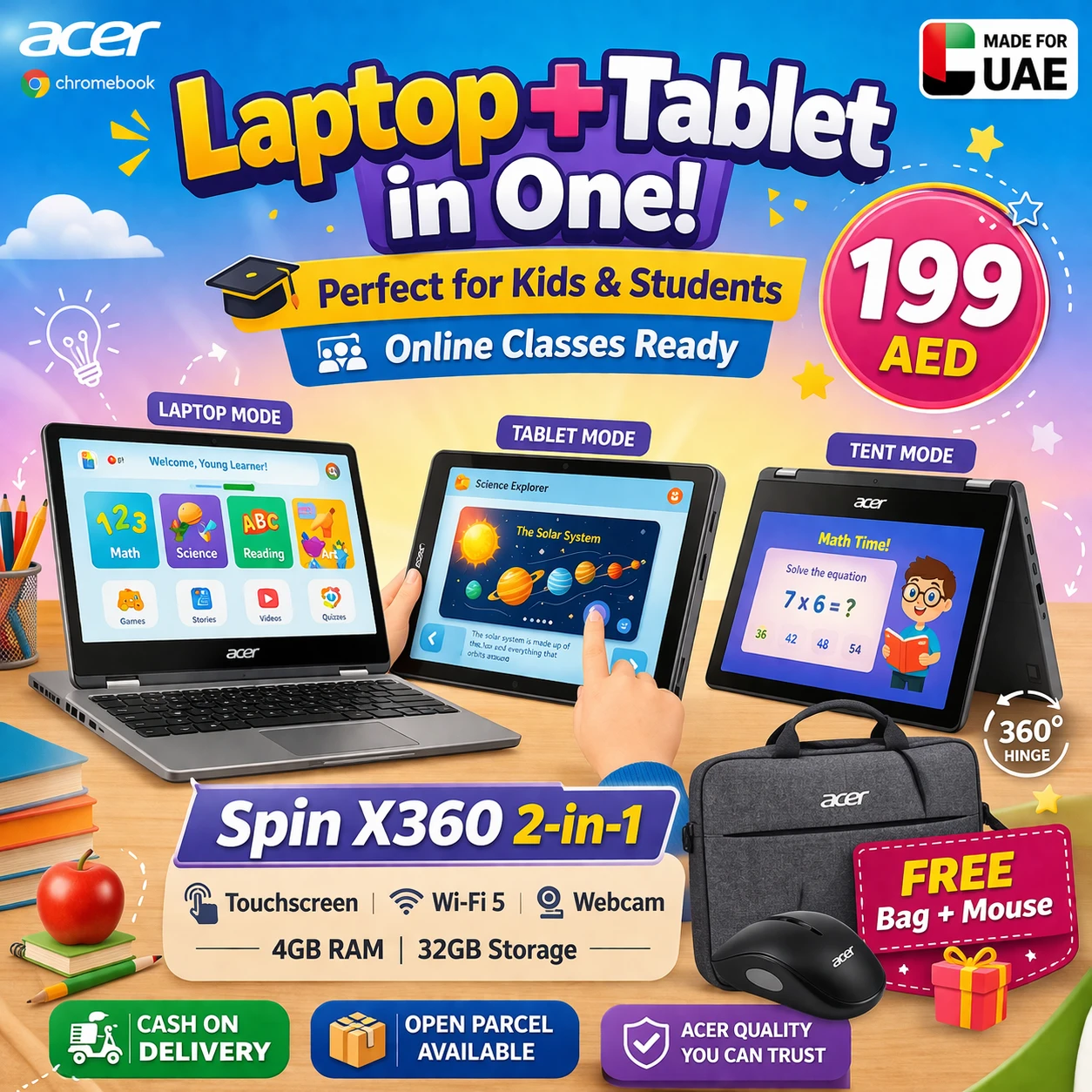
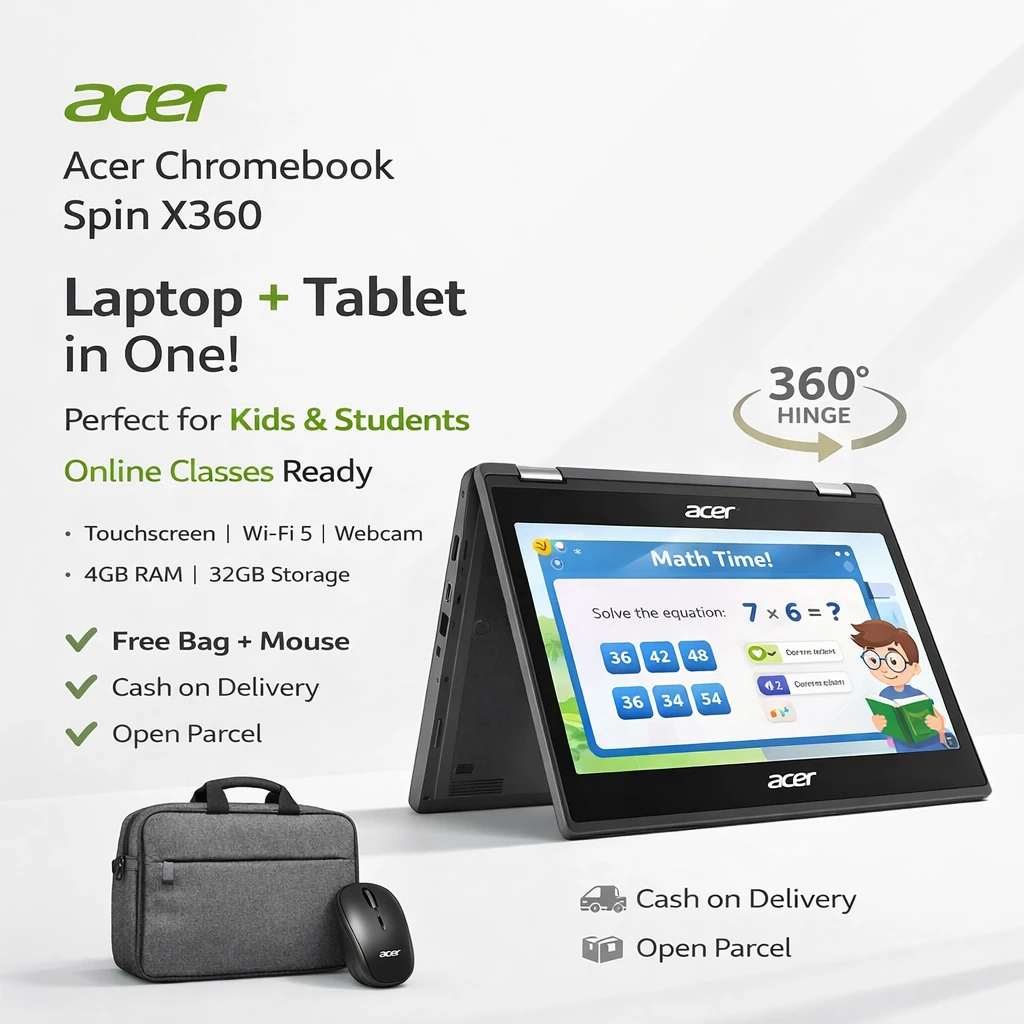
The Spin 511 is more than a conventional Chromebook laptop. Its convertible construction allows the screen to rotate into different working positions.
Students can use it in:
- Laptop mode for typing assignments
- Tablet mode for reading and touchscreen activities
- Tent mode for watching lessons or demonstrations
- Display mode for presentations and group work
This flexibility makes it a practical 2 in 1 Chromebook for children who move between typing, reading, watching and interactive learning throughout the school day.
As a convertible Chromebook, it can adapt to desks, classrooms, libraries and home-learning environments without requiring a separate tablet.
Touch and Stylus-Friendly Learning
The touchscreen supports natural interaction with educational content and compatible ChromeOS applications. Depending on the exact supplied SKU, selected configurations may support or include a USI stylus.
A compatible Chromebook with stylus functionality can be useful for handwritten notes, drawing, annotations and creative classroom projects. Customers who specifically require a stylus should confirm whether it is included in the selected package before ordering.
This clear distinction is important because available accessories and features can differ between regional Acer Chromebook Spin 511 configurations.
Cameras for Lessons and School Projects
The device includes a front-facing webcam and built-in microphones for supported video lessons, calls and classroom communication. Certain configurations may also feature an additional 5MP world-facing camera for taking photographs or recording project material.
Camera specifications can vary by SKU. Customers who require the rear-facing 5MP camera should verify the exact configuration before purchase.
A physical webcam shutter provides additional privacy when the front camera is not being used.
Modern Wi-Fi and Connectivity
The Acer Chromebook Spin 511 supports modern wireless connectivity, including Wi-Fi 6E on the documented configuration and Bluetooth 5.3 or above. This helps provide stable connectivity with compatible routers and accessories.
Available physical connections include:
- USB Type-C charging and connectivity
- USB 3.2 Gen 1 Type-A ports
- HDMI 1.4 output with HDCP support
- Headset and speaker combination jack
- Battery-status indicator
- Kensington Nano security-lock slot
Selected LTE configurations may also provide a SIM-card slot. LTE availability depends on the exact product SKU and should be confirmed separately.
The HDMI connection can be useful for displaying classroom presentations on a compatible monitor, television or projector.
Battery for the School Day
The Chromebook uses a 53Wh three-cell lithium-ion battery and supports fast-charging technology. Acer states battery life of up to 10 hours for models with a Full HD panel, although actual operating time will depend on screen brightness, wireless activity, applications and individual usage.
This battery capacity makes the device suitable for lessons, homework and normal daily learning without requiring constant access to a charger. A 65W USB-C Power Delivery adapter is specified for charging.
Portable and Student-Friendly Size
At approximately 1.4kg, the Acer Chromebook Spin 511 is compact enough for students to carry between home and school. Its approximate dimensions are 294mm wide, 211mm deep and between 19.5mm and 20.7mm thick.
The smaller design makes it particularly suitable as a laptop for school students who do not need the size and weight of a full 15.6-inch notebook.
The serviceable keyboard design and designated USB-C charging port also support easier maintenance, which can be valuable for schools managing multiple devices.
ChromeOS: Simple, Secure and Easy to Manage
ChromeOS is built around web-based learning and cloud services. It starts quickly, receives automatic updates and works closely with Google applications commonly used by schools.
Students can use:
- Google Classroom
- Google Docs
- Google Sheets
- Google Slides
- Google Drive
- Gmail
- Google Meet
- Chrome browser
- Compatible Android and web applications
Application availability may depend on school administrator policies and the student’s Google account.
For families moving from Windows, it is important to understand that a Chromebook uses ChromeOS. Traditional Windows .exe software cannot normally be installed. Before purchasing, confirm that the school’s required applications are available through ChromeOS, the web or Android support.
Is the Acer Chromebook Spin 511 Good for Students?
Yes. The Acer Chromebook Spin 511 R757TN is a strong choice for students who primarily use Google Classroom, browser-based learning platforms, cloud documents and video lessons.
Its main educational advantages include:
- Compact and portable size
- Full HD touchscreen
- Flexible 2-in-1 design
- Efficient Intel N250 processor
- Simple ChromeOS interface
- Modern wireless connectivity
- Up to 10 hours of stated battery life
- Keyboard suitable for everyday assignments
- Webcam shutter for additional privacy
- USB-C charging
For students who need specialist Windows programs, professional creative software or demanding games, a Windows laptop with higher memory and storage may be more appropriate.
Who Should Buy This Chromebook?
This model is recommended for:
Primary and Secondary School Students
Its compact size and straightforward ChromeOS environment make it convenient for school assignments and digital classroom activities.
Students Using Google Classroom
The operating system provides direct access to Google’s education and productivity ecosystem.
Parents Seeking a Portable School Device
At approximately 1.4kg, it is easier for children to carry than many conventional laptops.
Schools and Education Providers
The student-focused design, serviceable components and ChromeOS management capabilities make it relevant for classroom deployment.
Home-Learning Users
The touchscreen, webcam, microphones and Wi-Fi connectivity support online classes and everyday educational use.
Why Buy Acer Chromebook Spin 511 in the UAE?
Customers searching for an Acer Chromebook UAE can benefit from choosing a configuration designed specifically for education. The Spin 511 combines the portability of a tablet with the productivity of a physical keyboard.
When comparing the Acer Chromebook price in UAE, buyers should check the complete model number, processor, screen resolution, RAM, storage, included stylus, warranty and regional keyboard configuration. Older Spin 511 versions may look similar but can use different processors or display specifications.
The R757TN configuration described here features the Intel N250 processor, 4GB LPDDR5X memory, 32GB eMMC storage and an 11.6-inch Full HD touchscreen.
For customers searching for an Acer Chromebook Spin 511 UAE offer, KarazShop provides clear product information so that parents can compare the exact configuration before ordering.
Acer Chromebook Spin 511 Price in UAE
The Acer Chromebook Spin 511 price can vary based on stock, warranty, included accessories and the exact regional SKU. Please refer to the current price displayed on this product page for the latest offer.
Customers searching for “Chromebook price in UAE,” “Chromebook Dubai” or “Chromebook for sale Dubai” should compare the complete specifications rather than price alone. Some lower-priced listings may refer to older generations with different processors, lower-resolution screens or different accessories.
If you are planning to buy Chromebook UAE, confirm the following before placing your order:
- Exact R757TN model or part number
- Intel N250 processor
- 4GB RAM and 32GB eMMC storage
- Full HD touchscreen configuration
- Keyboard language
- Included charger
- Stylus availability
- Warranty coverage
- Delivery location
Important Configuration Notice
Acer produces multiple R757T and R757TN configurations. Features such as LTE, world-facing camera, stylus, Wi-Fi standard, keyboard layout and certain accessories may vary according to the exact SKU and destination market.
Please check the specifications shown with the available product or contact KarazShop before ordering if a particular optional feature is essential for your school.
Frequently Asked Questions
What is the Acer Chromebook Spin 511 R757TN?
The Acer Chromebook Spin 511 R757TN is an 11.6-inch touchscreen Chromebook designed primarily for students and education. This configuration features ChromeOS, an Intel N250 processor, 4GB LPDDR5X RAM and 32GB eMMC storage.
Is the Acer Chromebook Spin 511 suitable for school students?
Yes. It is suitable for Google Classroom, online lessons, web research, assignments, presentations and everyday educational applications. This makes it a practical Chromebook for students.
Is this a school recommended Chromebook?
It is designed as a school Chromebook and is suitable for many Google-based learning environments. However, parents should always compare the exact model with the device requirements issued by their child’s school.
Does the Acer Chromebook Spin 511 have a touchscreen?
Yes. The documented R757TN configuration has an 11.6-inch Full HD touchscreen with 10-point multi-touch support.
Can it be used as a tablet?
Yes. It is a convertible Chromebook with a flexible 2-in-1 design, allowing it to be used in laptop, tablet, tent and display positions.
Does the Acer Chromebook Spin 511 include a stylus?
Stylus availability varies by SKU. Some configurations support or include a USI stylus, but customers should confirm the contents of the selected package before ordering.
Can students use Google Classroom on this Chromebook?
Yes. Google Classroom and other Google Workspace applications can be accessed with a supported Google account, subject to the school’s administrator settings.
Can Microsoft Office be used on this Chromebook?
Students can use the web versions of Microsoft 365 applications when supported. Traditional Windows desktop programs generally cannot be installed directly on ChromeOS.
Is 4GB RAM enough for schoolwork?
For Google Classroom, documents, web research, email and normal educational browsing, 4GB RAM is suitable. Students needing specialist applications or intensive multitasking may require a higher-specification device.
Is 32GB storage enough?
The 32GB eMMC storage is intended to work alongside cloud storage such as Google Drive. It is suitable for essential applications and documents, but it is not intended for storing large offline media libraries.
How long does the battery last?
Acer specifies battery life of up to 10 hours for models with a Full HD display. Actual battery life varies according to brightness, applications, connectivity and usage.
Does it have HDMI?
Yes. The documented specification includes an HDMI 1.4 connection with HDCP support.
Does it support Wi-Fi 6E?
The supplied specification lists Intel Wi-Fi 6E connectivity, although wireless specifications can vary by exact SKU.
Is this Chromebook suitable for gaming?
It is designed primarily for learning, browsing, productivity and streaming. It is not intended for demanding PC gaming or professional graphics work.
Where can I buy the Acer Chromebook Spin 511 in the UAE?
You can order the available Acer Chromebook Spin 511 configuration from KarazShop, subject to current stock and delivery coverage.
Final Recommendation
The Acer Chromebook Spin 511 R757TN is a practical choice for parents seeking a compact Chromebook for school. Its Intel N250 processor, 4GB LPDDR5X memory, Full HD touchscreen, convertible design and ChromeOS platform cover the key requirements of everyday digital learning.
It is best suited to students who use browser-based education platforms, Google Classroom and cloud documents. Before purchasing, compare the exact configuration with your school’s official requirements, particularly if the school requires a stylus, LTE connectivity, a specific keyboard language or specialist software.
For customers looking for a touchscreen Chromebook, 2 in 1 Chromebook or dependable student laptop UAE option, the Acer Chromebook Spin 511 offers a useful balance of portability, classroom functionality and everyday performance.
Related products
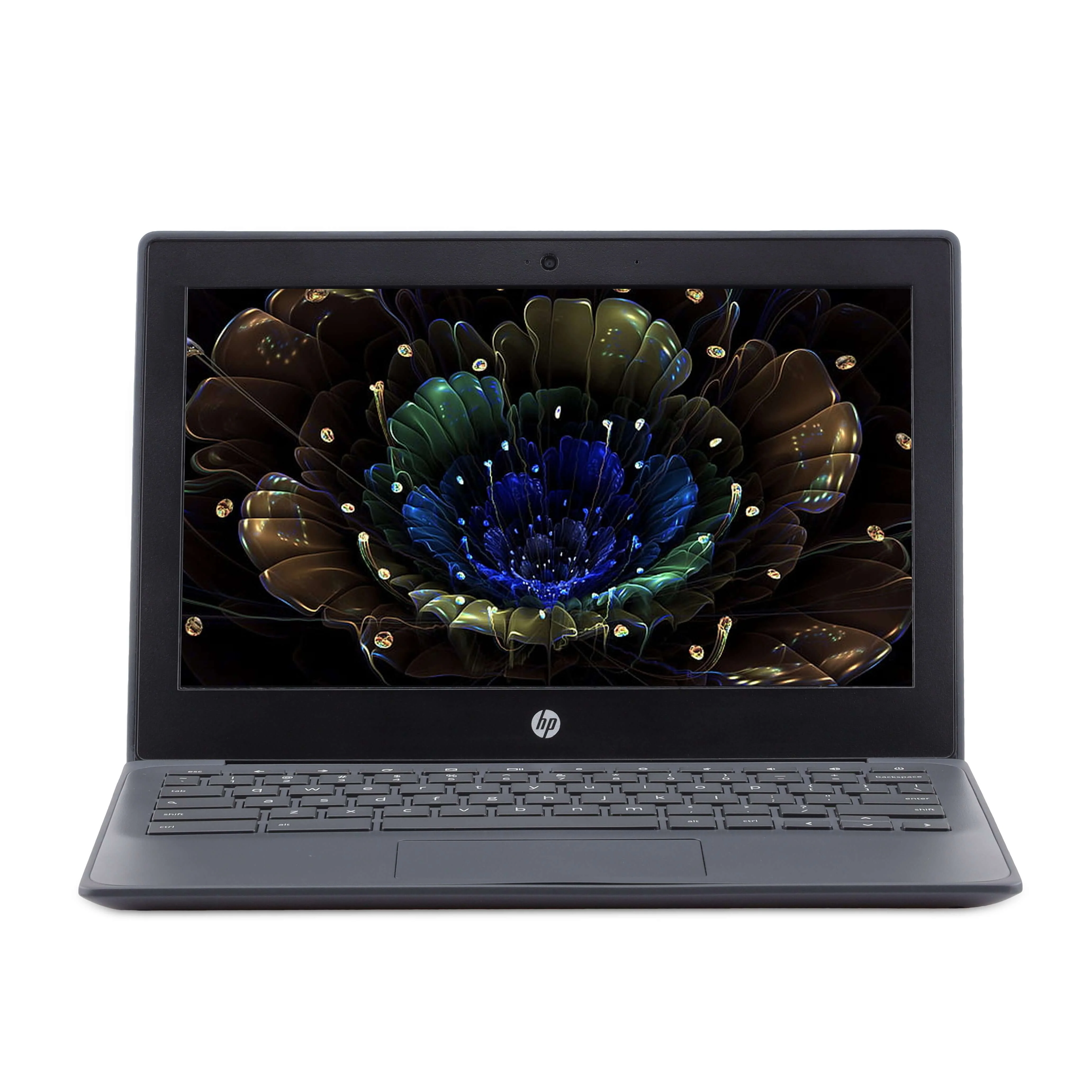
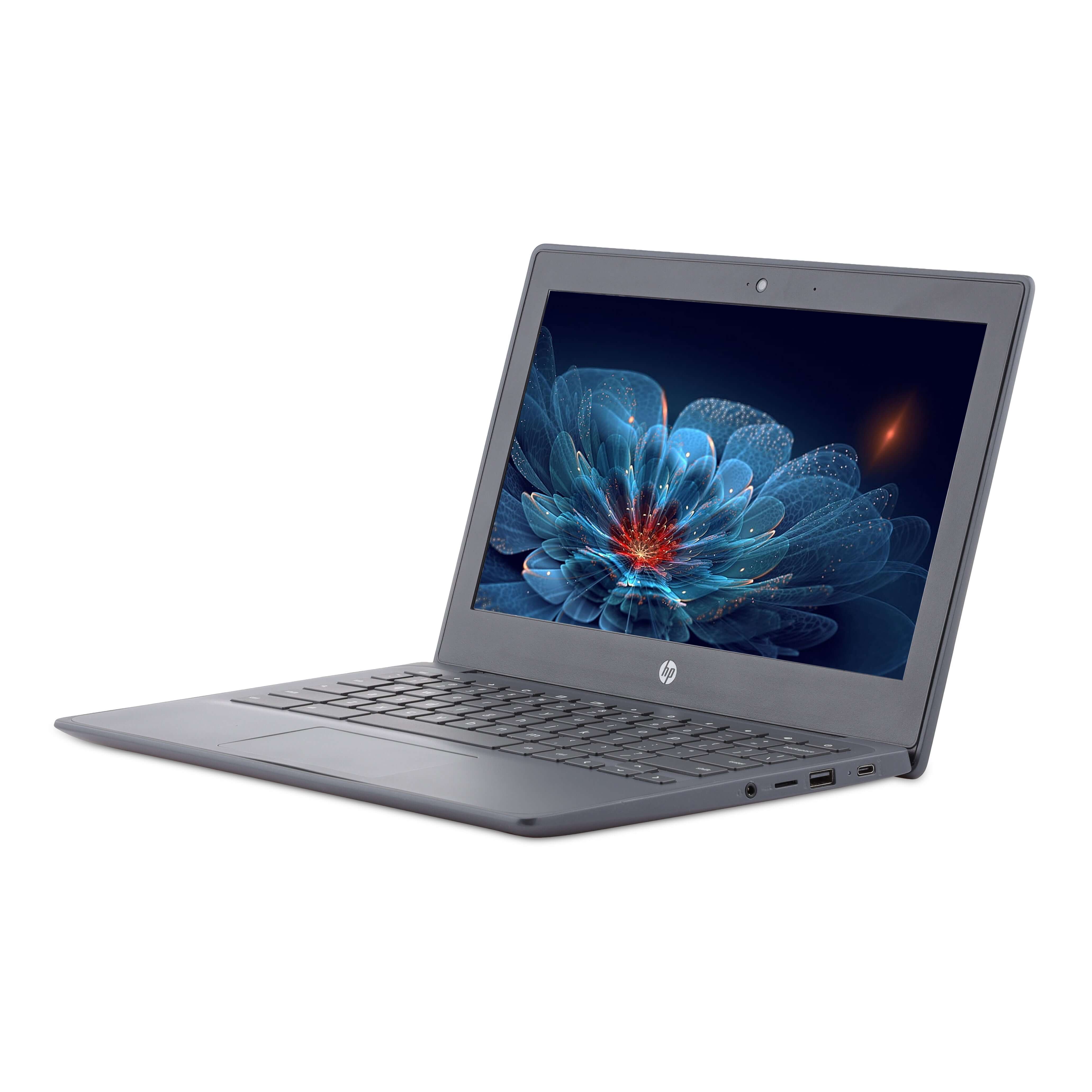
Acer Chromebook Spin 511 — Rugged 2-in-1 for Students
![Acer Chromebook Spin 512 R857TN 12.2-inch Touch 2-in-1 – Intel N250, 8GB, 64GB [Brand New]](https://aelaptop.com/public/uploads/all/acer-chromebook-spin-512-r857tn-01.webp)
![Acer Chromebook Spin 512 R857TN 12.2-inch Touch 2-in-1 – Intel N250, 8GB, 64GB [Brand New]](https://aelaptop.com/public/uploads/all/acer-chromebook-spin-512-r857tn-02.webp)

![Apple MacBook Pro 13-inch (2020) – Apple M1 Chip / 8GB RAM / 256GB SSD / 8-core GPU / macOS Big Sur / English Keyboard / Space Grey / Middle East Version – [MYD82ZS/A]](https://aelaptop.com/public/uploads/all/yGd3RsVthu0h3O0Jg5RPF2VAyw1WrWIoYT5W0yO7.png)
![Apple MacBook Pro 13-inch (2020) – Apple M1 Chip / 8GB RAM / 256GB SSD / 8-core GPU / macOS Big Sur / English Keyboard / Space Grey / Middle East Version – [MYD82ZS/A]](https://aelaptop.com/public/uploads/all/7UolMhKoic6G71EVgR2BaGwi35a7HHHEzRtHeGrT.png "Apple MacBook Pro 13-inch (2020) – Apple M1 Chip / 8GB RAM / 256GB SSD / 8-core GPU / macOS Big Sur / English Keyboard / Space Grey / Middle East Version – [MYD82ZS/A]")

AE Laptops by NEXACART FZE LLC is a UAE-registered company specializing in E-Commerce, Mobile Phones Trading – Import & Export, and affordable IT devices. We are a trusted source for Refurbished Laptops & Used Laptop Price in Dubai, offering professionally tested second hand laptops from top global brands. Our collection includes reliable business and personal laptops designed for work, study, and everyday use. With a focus on quality, performance, and affordability, we provide budget-friendly refurbished and used laptops in Dubai without compromising reliability or customer satisfaction.
Follow Us
Mobile Apps





Share with Friends
Trading is more effective when you share products with friends!Share you link
Share to